
LEARNING OUTCOMES
You document and comment your code using version control in a personal and team context and communicate technical recommendations.
I got feedback from Josh that I should explain why I use both Github and Gitlab. So Underneath the 'summary of explanation' is the explanation in short and for the whole documentation you can click on 'Gitwiki about why I use both Github and Lab'.
Gitwiki about why I use both github and lab
Why Both Github and Gitlab?
Throughout the whole study I have been using Github for personal projects and Gitlab for team projects. This has a couple of reasons for me:
Easier to clone using GitHub:
When I want to clone a repository from Gitlab, I have to login. I have to create a new access token and copy it inside my notes and find which username I have to use. When cloning from Github, I can simply clone it without any logins and I can set it up way faster with Github.
GitLab’s better team management tools:
Gitlab feels better to use within group projects since it has features such as permissions, merge requests and issue boards. Which makes me prefer Gitlab for team projects.
GitLab Gitwiki:
At the start of the semester I used Word to document my learning outcomes but this was a pain for the user since they had to download every document. I also prefer using Gitwiki over Word or a Markdown inside of Github since Gitwiki is very easy to use and I have more experience with Gitwiki.
GitHub’s offers a lot of open-source:
I got feedback from Josh once to look at open-source portfolios and projects and see how they implement their Readme files and this helped me a lot for my Portfolio's Readme and other Readme's that I made for the group project and for my passion project.
Separation between personal and group work:
By keeping my personal projects on GitHub and my group projects on GitLab, I can maintain a better overview of which work is where.
Previous semesters:
I did S4 Smart Mobile last semester and I made friends with a group of 5 programmers who were way smarter than me. They only used Github and thought me a lot about it. This led me to taking a liking to Github and used it for that whole semester.
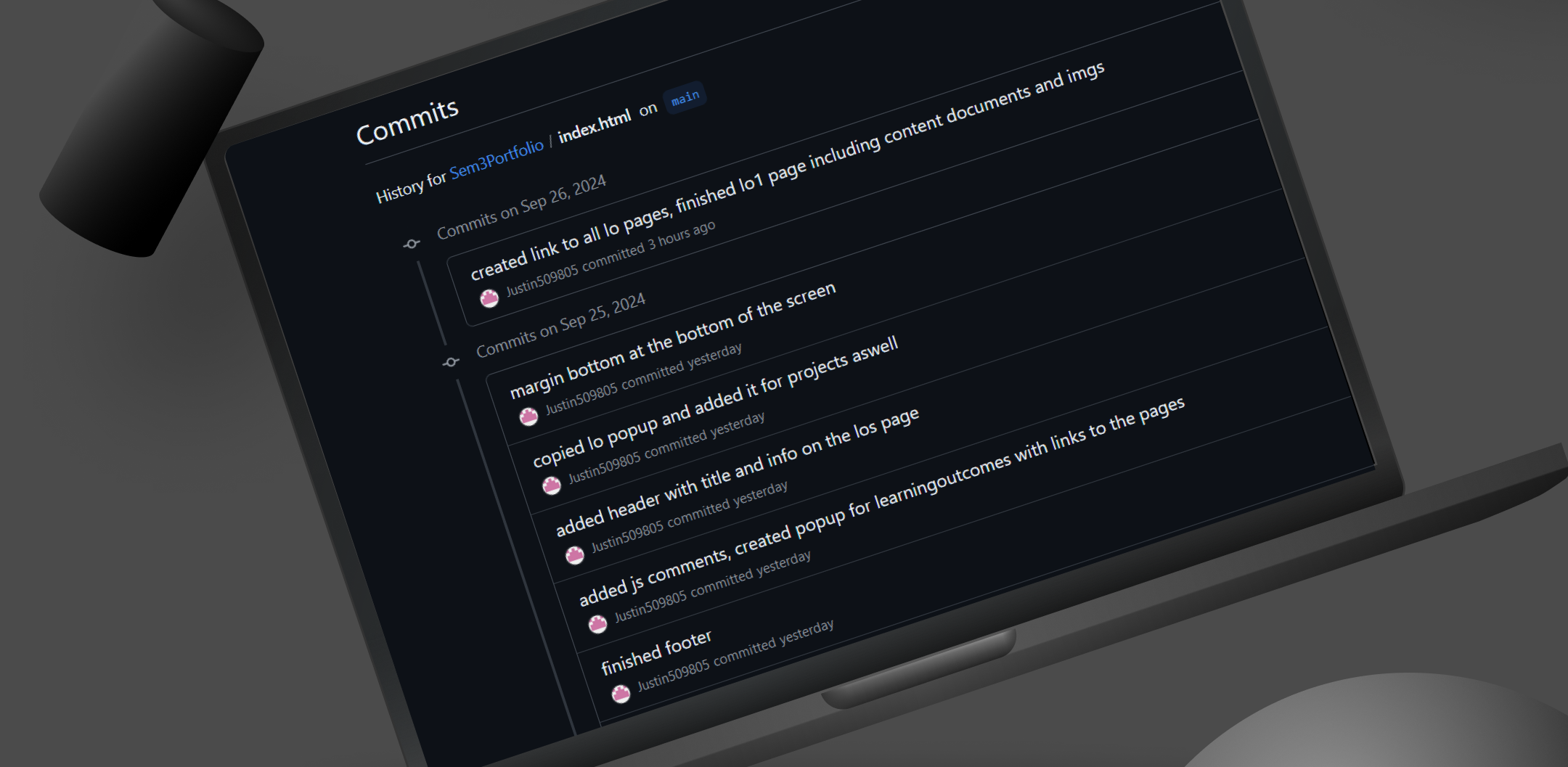
I have been documenting and commenting my code. I made sure to use clear class names, and clear comments in both my code and push commits.
This so that it would be nicer to work with in a team environment.
Gitwiki about the version control
What I Did:
Link to Github repository showing commit history, readme, comments etc.
I had a merge conflict once in the group project. I had to choose which one I would send out, and it was a simple fix. Furthermore, it went really well. I am getting used to writing clear comments and committing regularly.
You can view the links above to view my commit history and code. If you want to see the detailed documentation, you can click on "Gitwiki about the version control" or "Github history".
Here I explain and show the documentation of my code, the readme file but also that I push it regularly and have clear commit messages.
This fits the following learning outcomes: LO2.
Gitwiki about lo2
I recommend you view the detailed documentation on my Gitwiki since there are a lot of screenshots and links directly to the branches, repositories, commit histories etc.
Use of CHATGPT:
In S2, I got feedback from Ame that there is nothing wrong with using AI or code from tutorials, but it would be a good way of learning to let ChatGPT explain the code and then add comments based on this explanation. I have done this for most of the JS in my passion project, and I feel like it has helped me expand my knowledge more. I wrote all of the comments myself in a way that helps me understand what’s going on better.
Explanation:
Link Between Learning Outcomes (LO) and What I Did:
You document and comment your code using version control in a personal and team context and communicate technical recommendations.
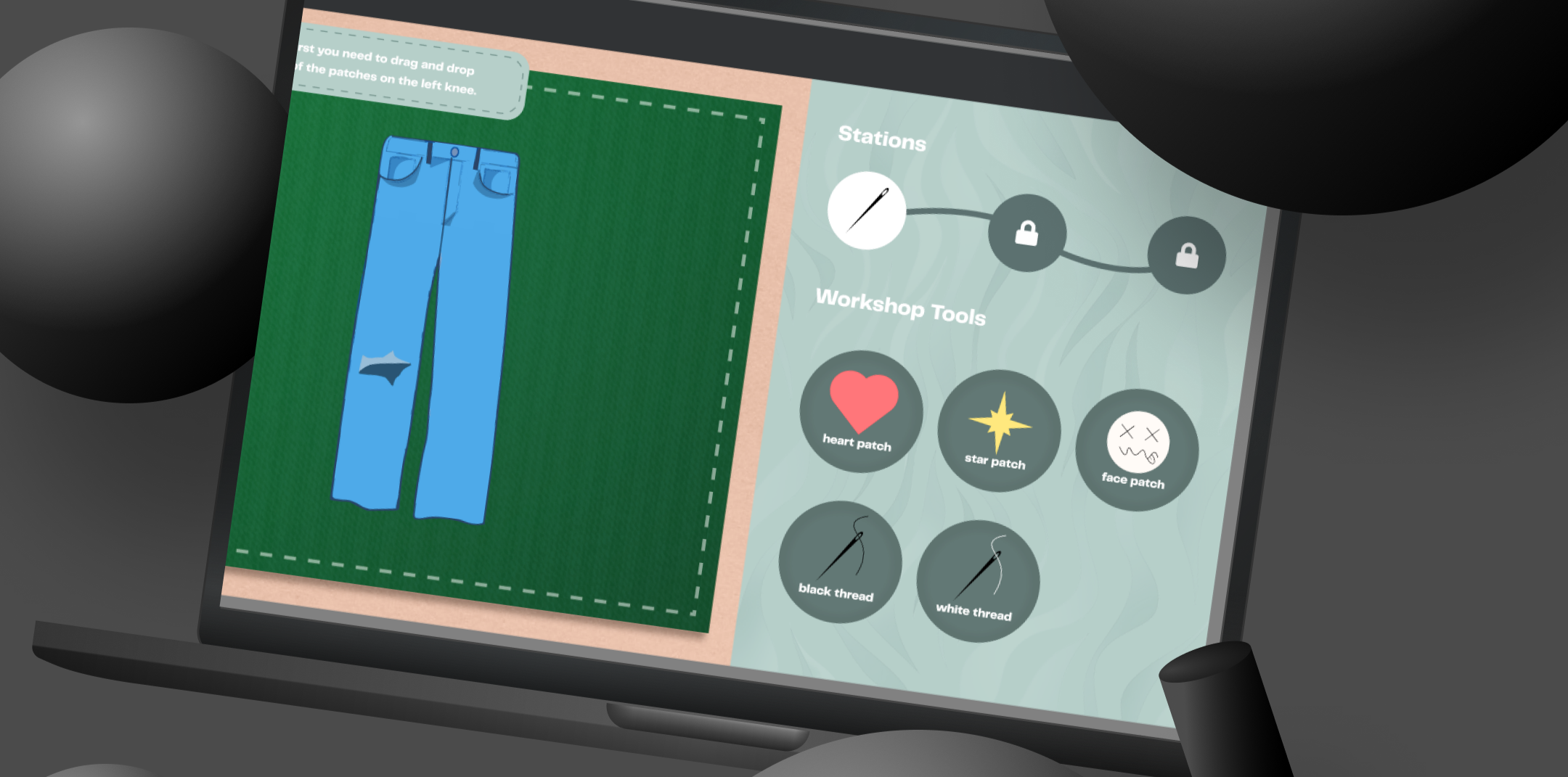
It was my task to recreate the screen below. It was important that it was made in such a way where it is easy to change things like the jeans image into a t-shirt and the patches into bucket images with a different title underneath. So I made sure to put clear comments and structure the code in such a way to where it is clear which parts have to change.
Gitwiki about the group project
My branche
Project repository gitlab
I recommend you view the detailed documentation on my Gitwiki since there are a lot of screenshots and links directly to the branches, repositories, commit histories etc.
How Did It Go?
The coding process went really well. I structured in my mind how I was going to make this, and because of the comments and regular commits, it was easy for me to stay on track and not get lost, which sped up the process.
Important Steps:
The regular commits with clear messages and code comments were very important so that the team has an easier time with further development. It was also important that I worked on my own branch.

I did my best to comment my code so it becomes easier to understand whats happening. I made sure to put clear comments
Gitwiki about personal website
Github commit history
I recommend you view the detailed documentation on my Gitwiki since there are a lot of screenshots and links directly to the branches, repositories, commit histories, etc.
How Did It Go?
Commenting my code went well in general. Maybe it would have been better to keep these comments going as I was coding because sometimes I got so focused on coding that I forgot to keep writing necessary comments. The Readme got an update and now gives a better understanding of my portfolio. Using ChatGPT to install JSdoc and explain to me how to use it went very smoothly as well.
Important Steps:
I found it really important to have extra comments inside of my JavaScript file since that is, for me personally, a weak point. After not having worked on a piece of JS code in some time, my memory of it becomes a little bit foggy, which is of course helped by putting comments. Also, using JSdoc to gain more knowledge about the language was good.
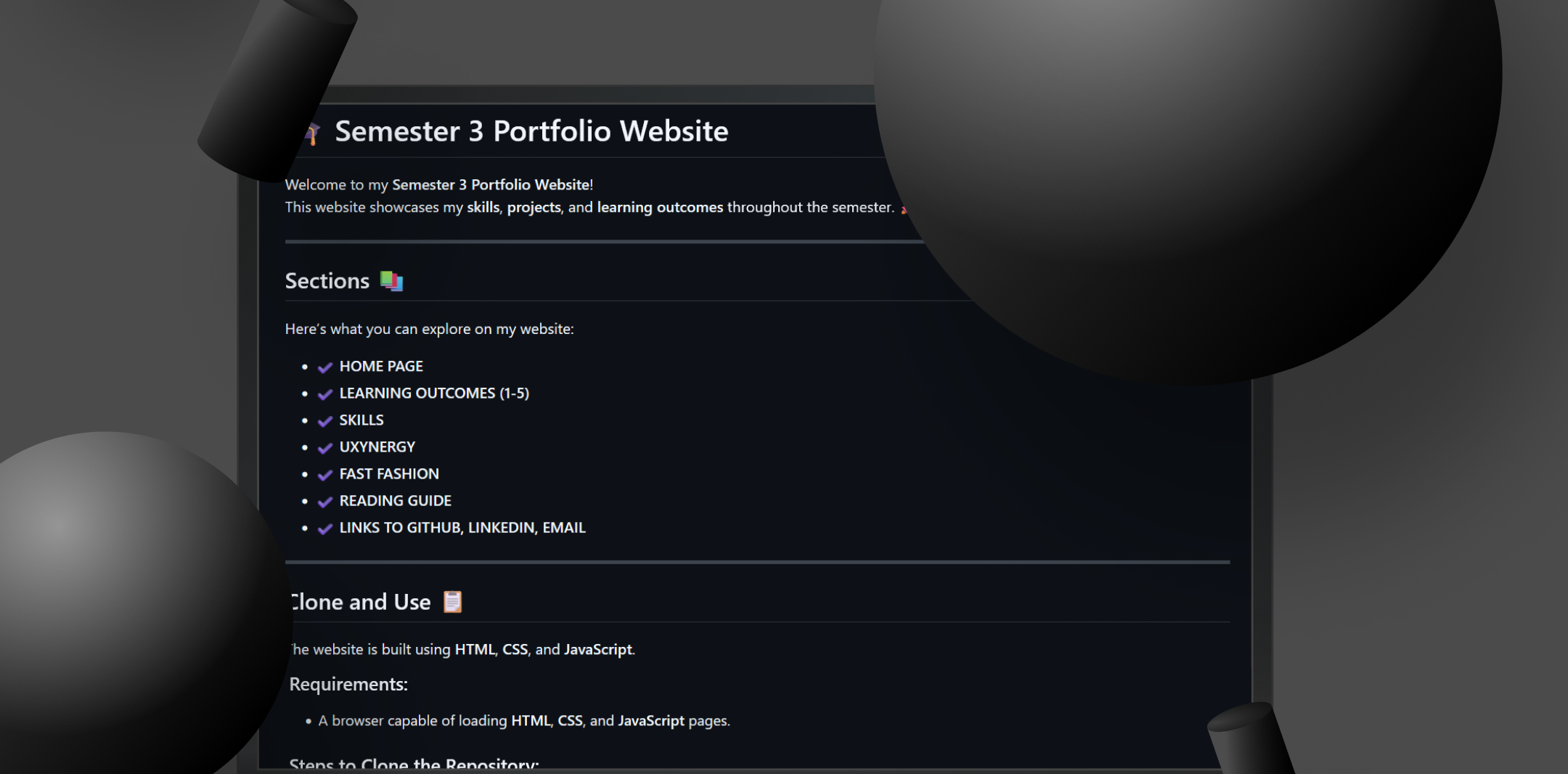
I updated my readme file and made it using markdown instead of it being a text file. It explains the sections, how to clone and use, requirements and links.
Gitwiki about the readme
Gitlab project readMe file
Github portfolio readMe file
I recommend you view the detailed documentation on my Gitwiki since there are a lot of screenshots and links directly to the branches, repositories, commit histories, etc.
1. Context
What I Did:
I created a ReadMe file for my personal portfolio website and also created one for our group project. I kept things like installation and requirements in mind, as a ReadMe should help the user get the project working on their system.
2. Approach and Process
How Did It Go?
It went pretty well. I already had one for the personal portfolio, which I got really good feedback on from Josh. This feedback helped me create a better ReadMe for the group project.